Is a Free VPN Safe to Use in 2026?
Can you actually trust an app that costs nothing? That's the real question behind every "is a free VPN safe" search, and the honest answer is: it depends entirely on how the company pays its bills. Free services have a poor track record with privacy, since most get subsidized by selling user data instead of charging for it.
A Quick Worked Example
Say you download a random free VPN to check email at an airport. It has no visible company name, no logging page, and a privacy policy written in vague legal language. That's a red flag, because a VPN that can't tell you what it collects probably collects more than you'd like.
Now compare that to a VPN that publishes exactly what it logs, in plain English, on its own website. That transparency doesn't guarantee perfection, but it gives you something to actually check instead of a guess.
What Research Keeps Showing
Free VPNs are often weak at the one job people expect from them, bypassing restrictions, while also exposing users to privacy and security risks the app was supposed to prevent1. Some even introduce malware risk or quietly collect browsing data in the background.
This doesn't mean every free VPN is bad. It means you need to look past the price tag and ask who's behind the app, what it logs, and how it makes money.
How I Judge Safety, App by App
As the founder of Safeneon VPN, I test our Windows and Android apps myself, daily, before anything ships. We don't call ourselves a no-logs service, because that claim is overused and hard to prove. Instead, we lay out our actual logging practices at safeneon.com, so you can judge for yourself.
If you're comparing options beyond just one app, this roundup of free VPNs built with privacy protection in mind walks through what separates a reasonably safe free plan from a risky one.
How Free VPNs Actually Make Money
Ever wonder who's footing the bill for an app you never paid for? Servers, engineers, and bandwidth all cost real money, so every free VPN has to find that cash somewhere. As the founder of Safeneon VPN, I've seen the business side of this industry up close, and I can tell you the funding model is the single biggest clue to whether an app is safe.
The Most Common Revenue Models
Some free VPNs sell advertising space inside the app itself, which is fairly harmless if disclosed upfront. Others take it further and sell user browsing data to third parties, a practice that's common among free services. A smaller group uses "freemium" pricing, where the free tier is a limited trial meant to push you toward a paid plan.
Then there's the riskiest model: bundling in hidden malware or ad-injection tools that generate revenue through clicks you never asked for. Research on free VPNs points out that many of these apps are also weak at actually protecting you while collecting your data in the background1.
What This Means for You
If an app can't explain how it makes money, that's your red flag. A transparent company tells you plainly whether it's ad-supported, subscription-backed, or data-funded.
At Safeneon, the model is simple: free trials with no card required, and paid plans starting at $4.99/mo for Basic. There's no hidden data-selling scheme padding the budget. You can read exactly how we handle user data at safeneon.com/logging, since we're upfront that we are not a zero-data-collection service.
My recommendation: choose a free VPN only after checking its revenue source, not just its price tag. If you want a broader look at free plans, this roundup of best free VPN services breaks down pricing models side by side. A VPN that's upfront about how it earns money is almost always safer than one that stays vague.
Common Risks Hiding in Free VPN Apps
What's actually going wrong behind the scenes when you install a free VPN app? The honest answer is more than most people expect. Free services have a poor track record on privacy, largely because many are subsidized by selling your data, and that's just the start of the list.
The Mistake: Assuming "Free" Means "Harmless"
A lot of users download a free VPN, see a lock icon turn green, and assume they're protected. But free VPNs are often highly ineffective at getting past content blocks, and they can expose you to privacy and security risks they're supposed to prevent1.
Some apps bundle in weak encryption or outdated protocols just to save on server costs. Others collect browsing data and quietly package it for advertisers, which defeats the entire point of using a VPN in the first place.
The Better Way: Know What You're Actually Installing
Before trusting any app, check three things: who runs it, how it makes money, and what it logs. A free VPN can add a layer of protection, but some introduce new risks by collecting data or exposing users to potential malware.
Here's a quick way to size up risk level before you install anything:
- Unclear company ownership or no listed location
- No published logging policy anywhere on the website
- Permissions that go far beyond what a VPN needs, like contacts or camera access
- Ads that appear even when the app is supposedly protecting you
At Safeneon VPN, I've made the logging policy public rather than hiding it, and I'll say plainly that Safeneon is not a no-logs VPN. You can read the full breakdown at safeneon.com/logging. Safeneon apps run on Windows, Android, and Chrome, with no iPhone or Mac app yet, and every plan starts with a free trial that doesn't require a card.
If you want a deeper look at what separates a trustworthy free option from a risky one, this guide on free VPNs built for privacy protection walks through the details step by step.
Data Logging and Privacy: What to Check Before You Trust a VPN
What does a VPN actually know about you, and where does that information go? That's the question to answer before you trust any app with your traffic, free or paid. A privacy policy sounds boring, but it's the one document that tells you the truth.
Read the Logging Policy Like a Contract
Most people skip the fine print. That's a mistake, because the logging section spells out exactly what gets recorded, how long it's kept, and who can request it.
Free services have a weaker track record here, since many are subsidized by selling user data rather than charging for the app. A VPN that collects browsing history, timestamps, and device details is doing the opposite of protecting you.
A Simple Example of What to Look For
Say you're comparing two apps. One says "we don't log anything" with no detail. The other, like Safeneon VPN, publishes a plain-language page explaining exactly what's recorded and why, at safeneon.com/logging.
The second option is more trustworthy, not because it claims perfection, but because it's honest. Vague promises are a red flag; specific explanations are a good sign.
Questions Worth Asking Before You Install
- Does the policy explain what data is collected, in plain words?
- Is there a separate privacy page, like safeneon.com/privacy, that matches what the logging page says?
- Does the company explain how it makes money, instead of hiding behind "free forever"?
Some free VPNs can expose you to new risks by collecting data or bundling in malware, even while claiming to protect you. That's why checking the policy matters more than checking the price tag.
If you're still building your shortlist, this breakdown of secure free VPN options walks through what honest logging pages tend to look like. Reading one before you sign up takes five minutes and saves a lot of regret later.
Free VPN Browser Extensions vs Standalone Apps
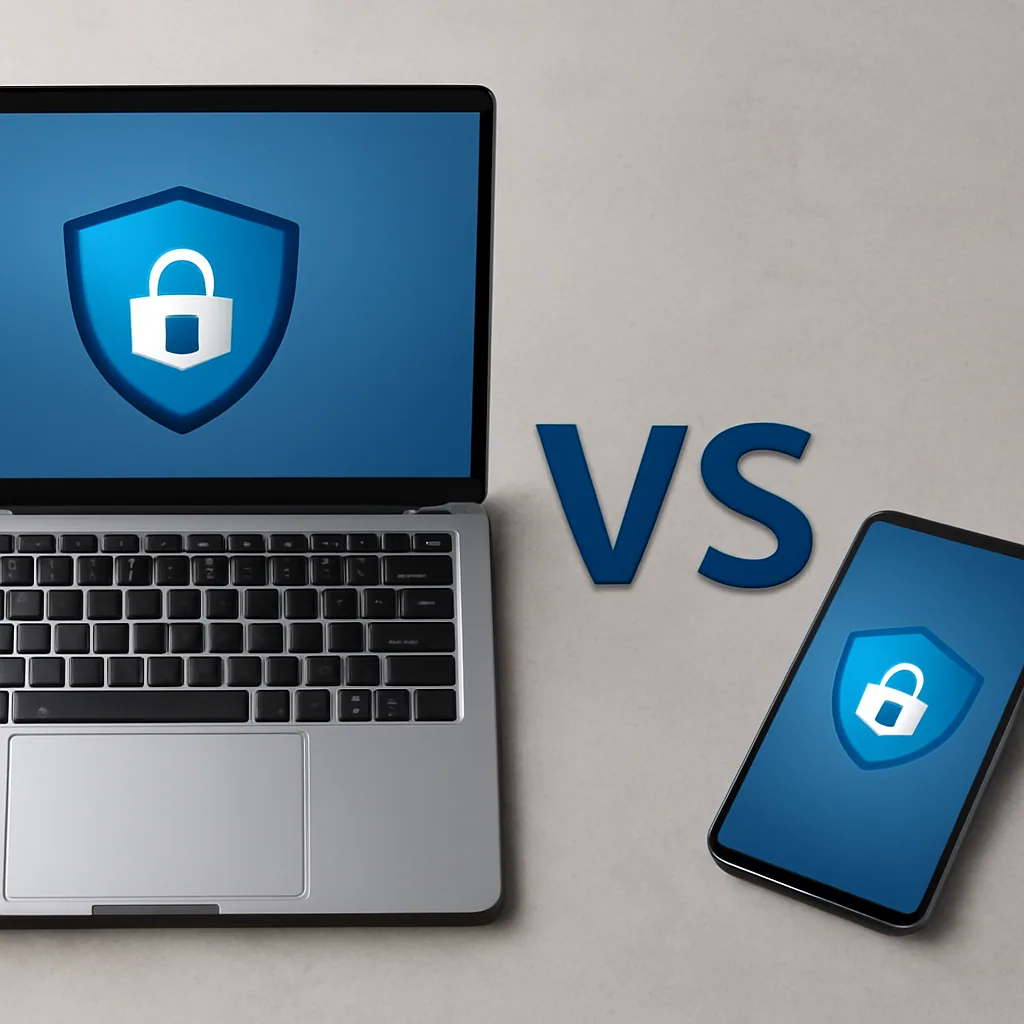
Which one actually protects you better, a browser extension or a full app? As the founder of Safeneon VPN, I look at both formats often, and the honest answer is that they're built for different jobs. A browser extension only shields traffic inside that one browser tab, while a standalone app protects everything on your device, including other apps and background connections.
What a Browser Extension Actually Covers
A VPN extension in Chrome or Firefox usually changes your IP address for websites you visit in that browser. It does nothing for your email app, your games, or anything running outside that browser window. That gap matters more than people realize, since malware and trackers don't limit themselves to one tab1.
Some extensions are also just proxies wearing a VPN label. They skip real encryption entirely, which means your browsing habits can still be visible to your internet provider or anyone watching the network.
Why a Standalone App Covers More Ground
A desktop or mobile app sits at the system level, so it protects your whole device, not just one program. Safeneon VPN works this way on Windows and Android, with a kill switch that cuts internet access if the connection drops. Right now there's no iPhone or Mac app, so Apple users will need to wait for that option.
Features like split tunneling and an ad and tracker blocker also only make sense at the app level, since they need to see traffic from the whole device, not a single browser. You can read more about how these free app options compare at this guide to free VPN apps worth trying.
The Simple Recommendation
If you're asking whether safe VPNs free of cost exist as browser-only tools, treat them as a light layer, not full protection. For public Wi-Fi at a coffee shop or airport, a standalone app is the safer pick, since it covers your whole connection, not just whatever site is open in your browser tab.
Signs a Free VPN Might Be Unsafe
How do you know when a free VPN has crossed from "limited" into "risky"? After looking at many apps on Windows and Android, the warning signs show up fast, usually before you even connect to a server. The trick is knowing what to look for instead of just hoping for the best.
The Common Mistake: Judging Safety by Price Alone
Most people assume "free" automatically means "sketchy" and "paid" automatically means "safe." That's not quite right. The real issue isn't the price tag, it's how the company covers its costs, and free services have a poor track record here because many sell user data to stay afloat.
So instead of asking "is this free," ask "how does this app make money, and what does it do with my traffic?" That one question filters out most of the bad apps before you even install them.
The Better Way: Check These Red Flags First
Here's what I personally check before trusting any VPN, free or paid:
- Excessive permissions requested during install, like access to contacts or messages
- No clear privacy policy, or one that's vague about data sharing
- Constant pop-up ads even when you're just trying to connect
- A business model nobody can explain
- Reviews mentioning malware, crashes, or sudden slowdowns
Free VPNs can genuinely add a layer of protection, but some introduce new risks through data collection or hidden malware instead. And a VPN that struggles to unblock basic content restrictions while also tracking your activity isn't doing either job well1.
If you're comparing options, our breakdown of secure free VPN options walks through which features actually matter versus which are just marketing. Safeneon VPN publishes its own logging practices openly at safeneon.com/logging, because transparency is the easiest red flag to check and the easiest one for shady apps to fail.
Why Some Free VPNs Slow Down or Limit Your Connection
Ever notice how a free VPN feels fast for five minutes, then crawls? That slowdown usually isn't an accident. It's a business decision, and understanding it helps answer the bigger "is a free VPN safe" question too, since speed limits and safety often come from the same root cause.
The Server Overcrowding Problem
Here's a simple example. A free VPN might offer only a handful of servers worldwide, but millions of people try to use them at once. Picture one checkout lane at a grocery store trying to serve an entire city — that's what happens to your connection speed.
Paid plans fund more servers and more bandwidth. Free plans rarely do, so you get what's left over after paying customers are served first.
Data Caps and Throttling, Explained
Some free VPNs cap how much data you can use each month, then throttle your speed once you hit that limit. Others slow you down during peak hours on purpose, hoping you'll upgrade to a paid tier. This isn't always disclosed clearly, which is part of why free services have a poor privacy and transparency track record.
As the founder of Safeneon VPN, I've seen this pattern across many free apps on Windows and Android. The free tier works, technically, but it's often built to frustrate you just enough to push an upgrade.
Why Slowdowns Sometimes Signal Bigger Risks
A slow connection isn't dangerous by itself. But free VPNs that cut corners on infrastructure sometimes cut corners on security too, since both cost money to do properly1.
Free VPNs are also notably weak at bypassing streaming or content blocks, which adds to the frustration when speed and access both fall short1.
What Makes a VPN Genuinely Safe to Use
So what actually separates a safe VPN from a risky one? After running Safeneon VPN's apps myself every day, I've found it comes down to a few honest habits a company either has or doesn't. It's less about marketing words and more about what the app does quietly in the background.
The Checklist I Use
First, look for a clear kill switch. If your connection drops, this stops your real traffic from leaking out unprotected, even for a second.
Second, check if the company tells you plainly what it logs. Research on free services shows many are "subsidized by selling your data", so a VPN that explains its logging practices in plain language, rather than hiding behind vague privacy promises, deserves more trust.
Third, ask whether the app blocks ads and trackers at the network level. Safeneon VPN's blocker works even when the VPN itself is turned off, which is a small detail that matters more than people realize.
Fourth, consider device support honestly. Safeneon currently covers Windows, Android, and Chrome, with no iPhone or Mac app yet, and I'd rather say that upfront than let you find out after downloading.
Why Transparency Beats Big Claims
A lot of free options get asked about constantly because people are unsure what's really happening behind the app. That uncertainty is the real risk, not just malware or slow speeds1.
Safeneon isn't a no-logs VPN, and I won't pretend otherwise. You can read exactly what we collect and why on our logging page, because guessing shouldn't be part of your security.
A genuinely safe VPN is one that's honest about its limits, not one that claims perfection. Features like a kill switch, HTTPS-only mode, and split tunneling matter far more in daily use than flashy promises, especially since free services can introduce privacy and security risks of their own.
Free Trials vs Permanent Free Plans: Key Differences
Which one actually protects you better: a free trial of a paid VPN, or a permanent free plan? This trips up a lot of new users, so let's break down how each works and what it means for your safety.
Permanent Free Plans
A permanent free plan never expires, but that's not always a good thing. Free services have a poor track record with privacy, since most are subsidized by selling your data. The app has to make money somehow, forever, and that usually means ads, data sharing, or a watered-down version of the product.
These plans also tend to come with low data caps, fewer server locations, and slower speeds during busy hours. You get something for nothing, but "nothing" rarely means "no cost" behind the scenes.
Free Trials on Paid VPNs
A free trial works differently. You get the full version of a paid product for a set number of days, usually with the company's real business model already in place: subscriptions, not your browsing data.
That matters because the incentive changes. A company selling plans has less reason to monetize your activity, while a permanently free app often has no other source of income.
Safeneon VPN offers a free trial with no card needed, so you can test the Windows, Android, or Chrome app before deciding anything. After that, plans start at Basic for $4.99 a month, with lower pricing on yearly and 2-year terms. There's also a 30-day money-back guarantee if you do subscribe and change your mind.
| Option | Typical Cost Model | Common Trade-off |
|---|---|---|
| Permanent free plan | Ads or data-driven | Ongoing privacy and speed limits |
| Free trial | Subscription after trial | Limited to a set number of days |
For a closer look at how different free options compare before you commit to one, check out this roundup of free plans that focus on privacy and logging.
How Safeneon VPN Approaches Privacy and Logging
Why not just say "we keep nothing" like everyone else does? Because that claim doesn't always hold up, and I'd rather give you the real answer. As the founder of Safeneon VPN, I've chosen to be upfront instead of making a promise I can't fully back up.
What Honest Logging Actually Looks Like
We explain exactly what's collected and why on our logging page, written in plain language instead of legal filler. If you want the full breakdown of how your data is handled across the apps, our privacy page covers that too.
Here's a quick worked example of why this matters. Say a free VPN app claims "no logs" but still shows you targeted ads based on your browsing. That's a contradiction, because something is clearly being tracked to make those ads relevant.
Most free services are subsidized by selling user data in some form, which is exactly the pattern researchers have flagged for years.
Why We Built It This Way
Running servers in 8 cities across 75+ countries costs real money, and I'd rather tell you how that's funded than hide behind vague marketing. The ad and tracker blocker in Safeneon VPN works even when the VPN connection is off, which is a feature detail, not a privacy claim. A kill switch, split tunneling, and HTTPS-only mode are all built to reduce exposure, but none of them replace reading the actual logging policy.
Independent reviewers have pointed out that free VPNs can introduce privacy risks even while adding a layer of protection, and that's true across the industry, not just for one app. If you're comparing options before you commit, our guide on secure free VPN options walks through what to check first. Safeneon VPN apps run on Windows, Android, and Chrome right now; iPhone and Mac support isn't available yet.
Security Features That Matter Most on Public Wi-Fi
What's the one feature you actually need when you're connected to airport or coffee shop Wi-Fi? A kill switch. I'll explain why, and what else earns a spot on your checklist, based on what I've built into Safeneon VPN's own apps.
Why a kill switch comes first
Public Wi-Fi drops connections constantly. Your phone jumps between networks, the signal weakens, or the router just hiccups.
If your VPN disconnects silently during that moment, your real traffic leaks out unprotected. A kill switch blocks all internet access until the VPN reconnects, so nothing slips through. This matters more on public Wi-Fi than at home, since you don't control the network or who else is on it.
Auto-connect for networks you don't trust
You won't always remember to turn on your VPN before joining a hotel network. That's the whole point of auto-connect on public Wi-Fi, a feature built into Safeneon VPN's Android app that switches the VPN on the moment it detects an unsecured network.
It's a small thing, but it removes the human error part of the equation.
HTTPS-only mode and tracker blocking
A VPN encrypts your connection to the server, but that's only half the picture. HTTPS-only mode pushes your browser toward encrypted sites and away from outdated, unprotected ones.
Pair that with an ad and tracker blocker that keeps working even when the VPN is off, and you've closed two more doors that public networks like to pry open.
| Feature | What it protects against on public Wi-Fi |
|---|---|
| Kill switch | Data leaks during sudden VPN drops |
| Auto-connect | Forgetting to turn the VPN on |
| HTTPS-only mode | Unencrypted site connections |
| Tracker blocker | Ad networks profiling your session |
Choosing a Safe VPN for Everyday Browsing and Streaming
How do you actually pick a VPN when every single one claims to be safe? The honest answer is you stop looking for promises and start looking for proof: clear pricing, clear logging policies, and features you can test yourself before trusting it with your data.
The Common Mistake: Chasing "Free Forever"
Most people search for a permanent free plan and stop there. That's risky, because free services have a poor track record with privacy, and many are subsidized by selling user data. Free VPNs are also often ineffective at the things people want most, while still exposing users to privacy and security risks1.
So the mistake isn't wanting something free. It's assuming "free" and "safe" always mean the same thing.
The Better Way: Test Before You Trust
A smarter approach is starting with a free trial that has a clear expiration date and a real company behind it. Safeneon VPN uses this model: you can try it with no card needed, and there's a 30-day money-back guarantee if you upgrade and change your mind.
Here's how that comparison looks in practice:
| Approach | What you get | Main risk |
|---|---|---|
| Permanent free VPN | No cost, often limited speed or data | Data collection to cover costs |
| Free trial, no card | Full features for a limited time | Low, if the company is upfront about logging |
For everyday browsing, look for a kill switch, an ad and tracker blocker, and split tunneling, so you can pick which apps use the VPN. Safeneon VPN includes all three, plus auto-connect on public Wi-Fi for Android users and a family filter for shared devices.
One thing to know upfront: iPhone and Mac apps aren't available yet, only Windows, Android, and Chrome.
If you're still comparing options, this breakdown of free VPNs built around privacy protection is a helpful place to start.
Conclusion
So, back to the original question: can a free VPN actually be safe? The short version is that safety depends less on the price tag and more on the habits behind the app. A free plan run by a transparent company with a clear privacy policy and a sustainable business model can be perfectly reasonable for light browsing.
A free app with no clear owner, vague logging language, and a business model nobody can explain is a different story entirely, and that's where most of the real risk hides. Treat "free" as a question, not a guarantee, and you'll avoid most of the trouble people run into.
At Safeneon VPN, the goal has been to build a free tier that doesn't rely on selling user data or burying risky terms in fine print. You still get to see how the apps behave, how connections hold up, and how the company talks about logging, before committing to anything paid. That's really the smartest way to test any VPN: use it, watch it, and decide for yourself.
Try Safeneon VPN free – no card needed.
Key Takeaways
- Free VPNs need revenue from somewhere, often through ads, data sharing, or upselling paid plans.
- Many free services have weak privacy track records, so check their logging practices carefully.
- Always read the privacy policy to see what data is collected and shared with third parties.
- Browser extensions and standalone apps offer different protection levels, so choose based on your needs.
- Warning signs like excessive permissions or vague ownership often appear before you even connect.
- Slow speeds on free VPNs are usually a deliberate business tactic, not a technical flaw.
- A genuinely safe VPN relies on transparency, consistent habits, and features like a kill switch on public Wi-Fi.
Expert Quotes
Free VPN services have a poor track record on privacy, largely because many of them need to make money somehow, and user data can become part of that business model.Are free VPNs safe? 7 risks + how to protect your privacy,, us.norton.com
Running a VPN service costs money for servers, bandwidth, and development, so if a VPN is free, the company behind it still needs to cover those costs somehow, which often means the business model relies on collecting and monetizing user data rather than charging a subscription fee.Are free VPNs safe to use?,, protonvpn.com
FAQ
1. Is a free VPN safe to use?
A free VPN can be safe to use if the company is transparent about how it operates, what it logs, and how it funds the service. The main risk comes from vague policies, unclear ownership, or business models that depend on collecting user data.
That said, "safe" doesn't mean "identical to a paid version." Free users often get fewer server locations and slower speeds, but the core question is whether the provider is open about its practices.
2. Is a virtual private network app safe?
A virtual private network app can be safe when it uses standard encryption, offers a clear privacy policy, and avoids collecting more data than it needs. It's also important to check whether the app has useful safeguards like a kill switch and whether it supports the device you actually use.
If your goal is browsing privacy or masking your location, the app should be evaluated on its own policies and features.
3. Is a free VPN service safe?
A free VPN service can be safe for basic browsing, but it depends on the provider's transparency and business model. If the service is vague about logging, ownership, or monetization, caution is warranted.
Without clear answers, it's hard to know how your data is handled behind the scenes.
4. Is a VPN browser safe?
A VPN browser, meaning a web browser with a built-in VPN feature, can be safe, but it's worth understanding the limits. These built-in VPNs usually only encrypt traffic within the browser itself, not your entire device. So other apps and background processes won't get the same protection.
They're convenient for quick, casual browsing privacy, but they're not a full replacement for a standalone VPN app if you want device-wide encryption.
5. Is the free VPN plan safe?
A free VPN plan can be safe when the provider explains its logging practices and funding model clearly. You're not just looking for low cost, you're looking for transparency and sensible limits.
For everyday browsing and basic privacy needs, a well-documented free plan can be reasonable if you understand the trade-offs.