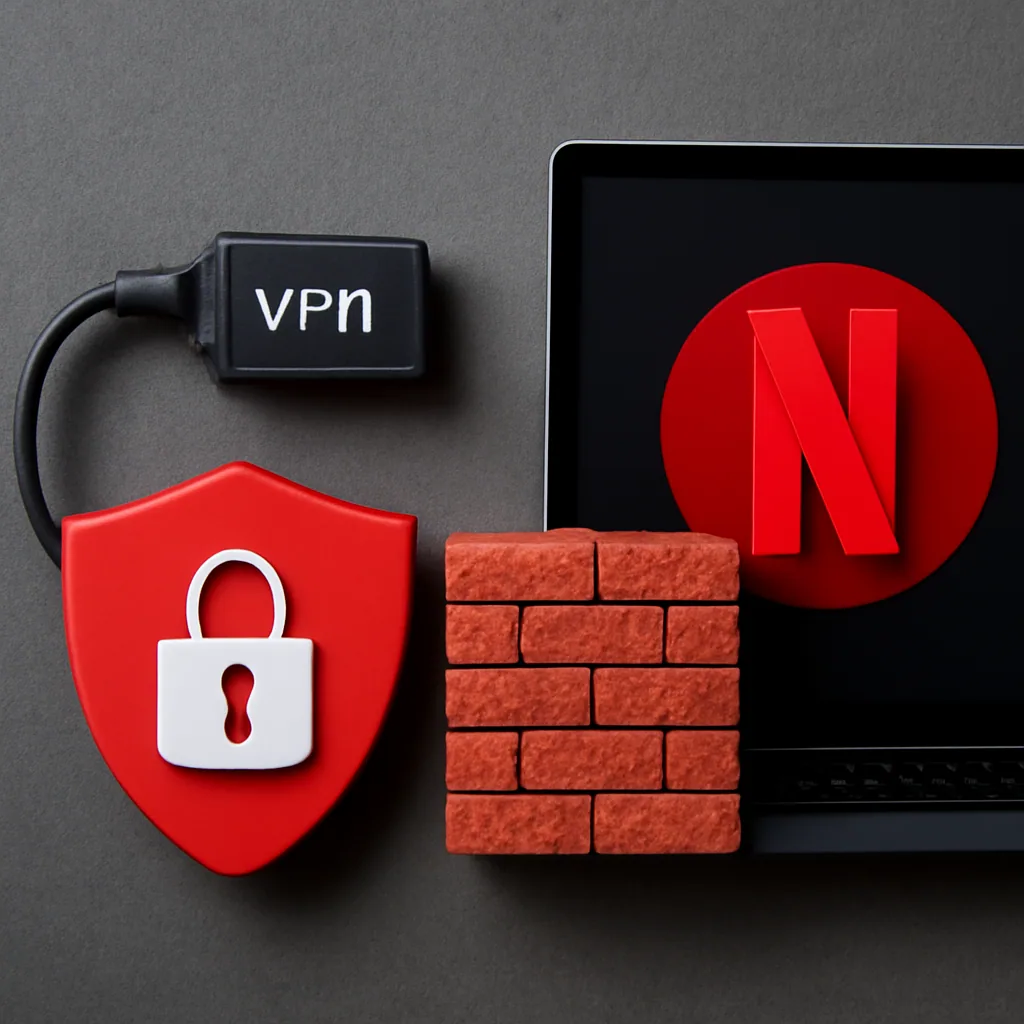
Streaming services like Netflix work hard to enforce regional licensing agreements, and one of the ways they do this is by detecting and blocking VPN traffic. If you have ever connected to a VPN and been greeted with an error message instead of your favorite show, you already know how frustrating this can be. Below, we break down why Netflix blocks VPNs, how the detection process works, and what you can do to fix the issue.
Why Netflix Blocks VPNs
Netflix licenses content on a country-by-country basis. A show available in the United States might not be available in Germany, and vice versa. These licensing deals are legally binding, which means Netflix is obligated to prevent users from bypassing regional restrictions. VPNs allow users to mask their real location and appear to be browsing from another country, which directly conflicts with these agreements.
To stay compliant, Netflix actively works to identify and block known VPN servers. This is not a one-time effort either. It is an ongoing process involving constant updates to its detection systems.
How Netflix Detects VPN Traffic
Netflix uses several methods to identify VPN usage:
- IP Address Blacklisting: VPN services often use shared IP addresses across many users. Once Netflix identifies an IP address as belonging to a VPN service, it blacklists it.
- DNS Leak Detection: Even when using a VPN, your device might leak DNS requests to your real location, giving away your actual whereabouts.
- Traffic Pattern Analysis: Netflix can analyze traffic patterns that are typical of VPN usage, such as unusual data routing or encrypted tunnels.
- Known Data Center Ranges: Many VPN servers are hosted in data centers, and Netflix maintains lists of IP ranges associated with those hosting providers.
How to Fix the Netflix VPN Block
If you are experiencing the "Netflix proxy error," here are some practical steps to resolve it:
- Switch Servers: Many VPN services have multiple servers in the same country. Switching to a different server can sometimes bypass the block.
- Use Obfuscated Servers: Some VPNs offer obfuscated servers that disguise VPN traffic as regular internet traffic, making it harder for Netflix to detect.
- Clear Browser Cache and Cookies: Sometimes cached data can cause conflicts. Clearing your cache might help.
- Try a Different VPN Service: Not all VPNs are created equal. Some services invest more in maintaining servers that work with streaming.
- Contact VPN Support: Reputable VPN services often have updated server lists that work specifically with Netflix.
Conclusion
While Netflix's VPN detection systems are robust, they are not foolproof. By understanding why these blocks happen and how to navigate them, you can enjoy a smoother streaming experience. Just remember that VPN and streaming policies are constantly evolving, so what works today might not work tomorrow.
- Does Netflix Block VPNs? What's Really Happening in 2026
- Why Netflix Tries to Block VPN Traffic
- How Netflix Detects and Flags VPN Connections
- The "You Seem to Be Using an Unblocker" Error Explained
- Will Netflix Ban Your Account for Using a VPN?
- Netflix Says I'm Using a VPN But I'm Not: Common False Positives
- How Streaming Libraries Differ by Country and Why That Matters
- How to Stop Netflix From Blocking Your VPN
- Steps to Get Past a Netflix VPN Block
- What Makes a VPN More Likely to Slip Past Netflix's Filters
- Common Mistakes That Get VPN Users Blocked on Netflix
- Free VPNs and Netflix: Why Most Fail the Block Test
- Conclusion
- Key Takeaways
- Expert Quotes
- FAQ
Does Netflix Block VPNs? What's Really Happening in 2026
So, does Netflix block VPNs? Yes, it does. Netflix actively blocks VPN traffic using detection methods that scan for IP addresses linked to known VPN servers, then blacklists them1.
That said, blocking a connection is not the same as banning a person, and that distinction matters a lot for anyone nervous about using one. This guide covers netflix blocking vpns.
A Quick Worked Example
Say you connect to a VPN server in Toronto hoping to watch a show only available on Canadian Netflix. If that server's IP address has been flagged before, Netflix spots the pattern almost instantly and serves you an error instead of your show. Switch to a fresh, less-used server location and the same account often streams without any trouble.
This happens because Netflix isn't blocking you. It's blocking the IP address your traffic is coming from. That's why the exact same VPN can work one day and get flagged the next.
Why This Keeps Happening in 2026
Streaming licensing deals require Netflix to keep regional libraries separate. That means the company has strong financial reasons to keep refining its filters year after year1. I check server lists against Netflix's blocks regularly, and it is a constant game of updates, not a one-time fix.
Some fixes are simple, like clearing browser data or trying a different server. Others take more patience.
What This Means for You
Here's the honest summary:
- Netflix blocks suspected VPN IP addresses, not specific people
- A blocked server doesn't mean your account is at risk
- Detection methods change often, so results vary week to week1
If you're still deciding which service fits your streaming habits, our breakdown of VPNs for Netflix in 2026 covers the bigger picture.
Why Netflix Tries to Block VPN Traffic
Why does a streaming company care so much about where you're sitting when you hit play? It comes down to money and contracts, not some grudge against privacy tools. Netflix licenses shows and movies region by region, and those licensing deals are the real reason behind every VPN block you've run into.
Licensing Deals Force Netflix's Hand
When Netflix buys the rights to stream a show, it's usually paying for that right in one country at a time. A studio might sell U.S. rights to Netflix but sell UK rights to a different platform entirely.
If Netflix let VPN users stream freely across borders, it would be breaking the terms it agreed to with studios and distributors.
That's the core answer to does netflix block vpns: yes, because letting the content leak across regions would violate the deals that keep Netflix's whole catalog running1.
Protecting Revenue From Regional Pricing
Netflix also prices and bundles its service differently depending on the country. Allowing unrestricted VPN access would undercut local pricing strategies and annoy the very content partners Netflix depends on. So the company keeps investing in detection systems that flag and blacklist known VPN server IP addresses1.
Avoiding Legal and Contract Risk
There's a legal angle too. Studios can penalize streaming platforms that fail to enforce geographic restrictions, so Netflix has a real incentive to show it's actively trying to block unauthorized access, even if the blocking isn't perfect.
How Netflix Detects and Flags VPN Connections
How does Netflix actually know you're running a VPN? It's not guesswork. Netflix compares your IP address against huge lists of known VPN and proxy servers, and it watches for patterns a regular home internet connection wouldn't show1.
It can happen in real time on streaming servers, and it's sharper than most people expect.
The Mistake: Thinking It's Just About Your IP Address
A lot of users assume Netflix only checks if your IP is "foreign." That's only part of it. Netflix also looks at how many accounts are hitting the same IP address at once, since VPN servers often route hundreds of users through one shared address.
If a single IP suddenly streams from five different countries' worth of accounts in one day, that's a red flag. This is a common pattern Netflix watches for, not a one-off check.
The Better Way to Understand Detection
Think of it less like a single lock and more like layered filters. Netflix's system cross-references data center IP ranges, flags addresses tied to commercial hosting providers, and tracks connection behavior that looks automated rather than human.
Here's what typically gets scanned:
- IP address ownership (is it a known data center or VPN provider range?)
- How many streams or accounts share that same IP
- DNS requests that don't match your stated location
- Sudden location jumps between sessions
This explains why so many people searching "does netflix block vpns" get mixed results depending on the server they pick. One IP address might be clean and unflagged; another on the same VPN could be blacklisted already1. That's less about the VPN brand and more about how fresh and well-managed its server IPs are.
The "You Seem to Be Using an Unblocker" Error Explained
Ever hit play on Netflix and get hit instead with a blunt message telling you to turn off your "unblocker"? That's Netflix's way of saying it caught your VPN or proxy. You haven't broken anything.
Netflix just flagged your IP address and shut the door before the show could even load1.
What Triggers the Error Message
Here's a quick worked example. Say you connect to a VPN server that a thousand other people used last week to stream the same show from a different country. Netflix's systems notice that one IP address is sending way more traffic than a single household ever would, and it tags that address as a proxy.
The next time you try to stream, Netflix checks your IP against its blacklist before anything loads. If there's a match, you get the unblocker warning instead of your show.
Why the Wording Feels Confusing
Netflix doesn't say "VPN detected." It says "unblocker," and that word choice trips people up. The company uses one blanket term for VPNs, proxies, and smart DNS tools, even though they work differently under the hood.
So if you're wondering, does Netflix block VPNs specifically, or just anything that looks like a workaround? The honest answer is both. Netflix's filters aren't picky about which tool you used; they just care that your traffic pattern looks like a proxy's1.
What the Error Does Not Mean
This message is not a ban notice, and it's not tied to your account history. It's triggered by the IP address, not by you personally.
That's why switching to a different server, or waiting a bit, often clears the error entirely without any account action needed. If you want the fuller picture on getting past this message step by step, the guide on choosing VPNs built for streaming breaks down what separates a flagged server from one that still works.
Will Netflix Ban Your Account for Using a VPN?
Worried Netflix will shut down your whole account just because you used a VPN? You can relax on that front. Netflix blocks the connection, not the person.
It stops the stream, shows an error, and moves on. It doesn't ban accounts for this.
What Actually Happens When Netflix Catches a VPN
Netflix's system flags your IP address as belonging to a VPN server and simply refuses to load the show1. You'll see an error message instead of your account getting suspended or flagged for review. No warning email, no strike against your subscription history, nothing that follows you to customer support.
Compare that to actual terms-of-service violations, like password sharing across households, which Netflix handles completely differently with specific verification prompts. VPN blocking is a technical filter, not a punishment system.
My Honest Recommendation
Here's my take after years of watching this play out: don't lose sleep over bans, but don't treat VPN blocking as a dare either. Switch servers if one gets flagged, and if you want fewer interruptions, pick a service built with streaming traffic in mind rather than whatever free option a forum mentions. I've written more on which VPNs tend to hold up better for streaming if you want the fuller picture.
One thing I always tell new Safeneon VPN users: we're upfront that we're not a zero-logs service, and you can read exactly what we do and don't log at safeneon.com/logging. Honesty there matters more to me than vague privacy claims that don't hold up under questions.
What You Should Actually Worry About
The real risk isn't a ban. It's wasted time: buffering screens, repeated errors, and switching servers five times before something loads. That's an annoyance, not a legal problem, and treating it that way keeps your expectations realistic.
Netflix Says I'm Using a VPN But I'm Not: Common False Positives
Ever get hit with a VPN warning on Netflix when you're not even running one? It happens more than people think, and it's rarely Netflix being random. Something on your network is tripping the same alarms a real VPN would set off.
Mistake: Blaming Your VPN When the Real Culprit Is Shared IP Addresses
Here's the common mistake: people assume Netflix only flags VPN apps. In reality, your internet provider might assign you an IP address that's shared with hundreds of other households, and some of those addresses have been used by VPN or proxy services in the past.
Mobile data connections cause the same problem. Carriers often route phone traffic through a small pool of IP addresses, so Netflix sees a pattern that looks identical to VPN traffic, even though you're just using your phone on 4G or 5G.
The Better Way: Rule Out the Usual Suspects First
Before assuming your account is broken, check a few simple things:
- Restart your router. This often assigns you a fresh IP address that isn't flagged.
- Clear your browser cookies and cache, since old session data can confuse Netflix's checks.
- Switch from Wi-Fi to mobile data (or the reverse) to see if the error follows you.
- Check if a smart DNS service or ad-blocking app on your router is rerouting traffic without you realizing it.
Office networks, university Wi-Fi, and even some hotel connections run through proxy-like setups for security reasons, and Netflix reads that as unblocker activity too1.
So does Netflix block vpns by mistake sometimes? Pretty much, yes. The detection system can't always tell the difference between a real VPN and an IP address with a messy history.
How Streaming Libraries Differ by Country and Why That Matters
Ever wonder why your friend in Canada sees a totally different Netflix homepage than you do in Texas? It's not a glitch. Netflix licenses content country by country, and that's exactly why people reach for a VPN in the first place, even though does netflix block vpns is one of the most-searched questions tied to this topic.
A Worked Example: Comparing Two Libraries
Let's say you're watching from the US and switch your VPN to a server in Japan. The title count, the categories, even the thumbnails change because Netflix is showing you what it licensed for that specific region.
A show available in Japan might not have US streaming rights at all. That's a licensing issue, not a technical one, and no VPN can create rights that don't exist.
Why This Matters for VPN Users
This is part of why Netflix invests so much in blocking VPN traffic. If libraries were identical everywhere, there'd be no reason to detect anyone's location at all.
Because libraries vary so much, people assume a VPN guarantees access to any title in any country. It doesn't. Netflix still checks your account region and billing details, and detection systems are built specifically to catch mismatches1.
| Region Example | What Differs | Why |
|---|---|---|
| US vs Japan | Title availability, categories | Separate licensing deals |
| Canada vs US | Release dates, catalog size | Regional content contracts |
Knowing this helps set realistic expectations before you connect to any server. If you're still comparing VPN options for streaming in general, our guide to VPNs for Netflix covers how services handle these regional differences. Safeneon VPN offers servers across 75+ countries, which gives you more locations to test.
How to Stop Netflix From Blocking Your VPN
Want the short answer?
You mostly can't stop it completely, but you can cut your odds of getting blocked way down. Netflix actively blocks VPN traffic using detection methods that scan for IP addresses tied to known VPN servers1, so the real goal is picking habits and tools that stay ahead of that scanning. I run Safeneon VPN's servers myself every day, and the pattern is always the same: fresh, clean IPs work better than crowded, flagged ones.
Pick a VPN Built for Streaming, Not Just Privacy
A VPN for Netflix is the single biggest factor in whether you get blocked. Cheap or overused services tend to reuse the same IP addresses across thousands of users, and Netflix flags those fast. Safeneon VPN spreads traffic across servers in 8 cities within 75+ countries, which helps avoid the overcrowding that gets IPs blacklisted.
Keep Your Setup Clean
Clearing browser cookies and cache before streaming helps, since old session data can tip Netflix off even after you've switched servers. It also helps to close other apps that might be routing traffic outside the VPN tunnel. Split tunneling, available in Safeneon VPN, lets you send only your streaming traffic through the VPN while everything else runs normally.
Switch Servers When One Gets Flagged
If a server stops working, don't fight it. Trying a different server is one of the most reliable fixes out there, and it takes seconds in most apps. This is also where a kill switch matters, since it keeps your real IP hidden if the connection drops mid-switch.
Match the Tool to the Habit
Families sharing one plan should look at device limits and a family filter, both built into Safeneon VPN's plans. Travelers checking shows from home should read up on how VPN server choice affects streaming access before picking a location.
Steps to Get Past a Netflix VPN Block
Hit a VPN wall on Netflix and not sure what to actually do next? You've got two paths here: a quick-fix approach that barely works, or a more deliberate method that actually holds up over time. Let's walk through both so you know which one you're using.
The Quick Fix (And Why It Often Fails)
Most people's first move is switching servers and hoping for the best. That can work sometimes, but it's a short-term patch, not a real solution.
Here's the better version of that same idea, step by step:
- Close Netflix completely, not just the tab. Half-loaded sessions cache your old IP info.
- Clear your browser cookies or switch to the Netflix app if you were using a browser.
- Connect to a fresh server in the country whose library you want.
- Wait about a minute before reopening Netflix. Rushing this step is a common reason people see the error again immediately.
- If it still fails, try a different city within the same country rather than bouncing between countries.
The More Reliable Approach
Instead of chasing servers one by one, start with a VPN built with streaming traffic in mind. Safeneon VPN's Windows and Android apps are built to keep setup straightforward, and server performance is checked regularly, so server choice matters less than guesswork alone.
Safeneon currently covers 75+ countries with servers in 8 cities, plus a kill switch and split tunneling if you want more control over your connection. There's a free trial with no card required, and a 30-day money-back guarantee if it's not working for your setup.
What Makes a VPN More Likely to Slip Past Netflix's Filters
Why do some VPNs work fine on Netflix for weeks while others get flagged within minutes? It usually comes down to how the VPN manages its IP addresses and servers, not luck. Netflix actively blocks VPN traffic by identifying and blacklisting IP addresses tied to known VPN servers1, so the VPNs that hold up longest are the ones actively managing that exposure.
Server Management Matters More Than Server Count
A VPN with servers in 75+ countries doesn't help you much if those servers sit on IP ranges Netflix already flagged months ago. What matters is whether the service rotates addresses and watches for blocks. Safeneon VPN runs servers across 8 cities, and part of daily upkeep involves checking which ones still get through and adjusting accordingly.
Here's a simple example. Say a server in one city gets flagged on a Tuesday. A provider that's paying attention swaps in a fresh IP range by Wednesday.
A provider that isn't leaves you stuck with the same error message for weeks.
Clean Traffic Habits Help Too
Netflix also looks at how traffic behaves, not just where it comes from. A VPN that avoids obvious shared-IP congestion and keeps connections stable tends to raise fewer flags than one where hundreds of users hit the same address at once.
- Fewer users per IP address generally means less suspicion
- Consistent connection quality avoids the stutters that can trigger error pages
- Features like split tunneling let you route only your streaming app through the VPN, keeping other traffic separate
None of this means you'll never see a VPN warning. Even well-run VPNs hit occasional blocks, since detection methods shift constantly. But a service that treats IP management as ongoing work, rather than a one-time setup, gives you noticeably better odds over time.
Common Mistakes That Get VPN Users Blocked on Netflix
Why do some people get flagged constantly while others barely notice their VPN is on? Most of the time, it comes down to small habits, not bad luck. After running Safeneon VPN's apps daily and watching how Netflix reacts, I've noticed the same errors show up again and again.
Picking the Wrong Server Without Thinking
Jumping onto the first server you see is a common slip. Crowded servers get flagged faster because too many people share one IP address at once1. Instead, try a less busy location in the same country and give it a minute before refreshing Netflix.
Mixing Up Apps, Browsers, and Devices
Switching between the Netflix app and a browser while connected to different servers confuses things. Netflix sees inconsistent location signals and assumes something's off. Stick to one device and one server until you're sure it's working.
Skipping Cache and Cookie Cleanup
Old cookies can quietly tell Netflix your real location, even with a VPN running. Clearing browser data is one of the simplest fixes people overlook. It takes thirty seconds and solves more problems than people expect.
Relying on Overloaded VPN Servers
Services with small server pools often reuse the same handful of IP addresses, which get blacklisted fast1. This is a separate issue from streaming access in general, but it's worth repeating here: shared, overused servers are a magnet for detection. For a wider breakdown of paid versus free tools, the comparison of VPNs built for Netflix streaming is a useful next read.
Ignoring App Updates
Netflix changes its detection methods often, and VPN services patch their apps in response. Running an outdated Safeneon VPN app, or any VPN app, means missing those fixes. Keeping the app current is one of the easiest ways to avoid a block.
Free VPNs and Netflix: Why Most Fail the Block Test
Why do so many free VPNs fall apart the moment you hit play on Netflix? It comes down to resources. Running servers that can dodge detection costs money, and free services usually don't have it to spend.
The Free VPN Problem
Most free VPNs use a small pool of shared IP addresses. Thousands of users connect through the same handful of servers every day, and Netflix notices that pattern fast1. Once an IP gets flagged, everyone sharing it gets the same error message, free account or not.
There's also a maintenance issue. Some services actively rotate and replace flagged IPs to stay ahead of Netflix's detection systems. Free VPNs rarely have the staff or budget to keep up that kind of upkeep, so once a server gets blacklisted, it often stays that way for good.
A Simple Comparison
Picture two people trying to stream the same show through a VPN. One uses a free app with ten overloaded servers. The other uses a service with dozens of locations spread across 75+ countries.
The first person hits the "unblocker" error within minutes, because that shared IP has likely been flagged by thousands of other users already. The second has a better shot, simply because there are more clean IPs to rotate through when choosing a VPN built for streaming.
| Factor | Typical Free VPN | Typical Paid VPN |
|---|---|---|
| Server pool size | Small, heavily shared | Larger, spread across countries |
| IP rotation | Rare or none | Ongoing |
| Netflix detection risk | High | Lower, not always predictable |
I built Safeneon VPN with this exact gap in mind. It is not a free VPN, but it does offer a free trial with no card required, so you can test real servers before deciding.
Conclusion
So where does this leave someone who just wants to watch a show without a hassle? Netflix's detection game isn't going away, and no VPN can promise a permanent workaround.
What actually matters is picking a service that refreshes its IP pool regularly and treats streaming access as a real priority, not an afterthought. Safeneon VPN approaches it this way, maintaining clean server addresses so you're less likely to land on a blacklist in the first place. It won't promise flawless access every single time, since that's simply not how this cat-and-mouse setup works.
But fewer blocks and faster fixes make a real difference day to day.
If you're tired of error messages interrupting movie night, the smarter move is testing a VPN built with streaming in mind rather than hopping between random free options. Quality over quantity tends to win here. Try Safeneon VPN free – no card needed.
Key Takeaways
- Netflix blocks VPNs mainly to enforce country-specific licensing deals, not to punish privacy tools.
- Detection works by matching your IP against known VPN server lists and spotting unusual traffic patterns.
- The "unblocker" error means Netflix flagged your connection, not that you broke any law.
- Using a VPN won't get your account banned, only the stream will fail to load.
- False VPN warnings can happen due to router settings, shared IPs, or other network issues.
- Content libraries differ by country because Netflix licenses shows separately for each region.
- Some services can still fail fast if their servers are overcrowded or poorly maintained.
Expert Quotes
Netflix actively blocks VPN traffic using detection methods that scan for IP addresses linked to known VPN servers, then blacklists them.How to bypass Netflix VPN ban in 2026 - VPNpro,, vpnpro.com
Netflix blocks the connection, not the account, when it detects VPN or proxy use.Netflix VPN Not Working: 7 Fixes for Netflix Blocking VPN,, gizmodo.com
FAQ
1. How do I stop Netflix from blocking my VPN?
Start with the basics: switch servers within your VPN app, since some IP addresses get flagged more often than others. Clearing your browser cache and cookies can help too, as can restarting the Netflix app or your device. If the problem persists, try a different VPN protocol within the app's settings, or contact your VPN service's support team.
They often keep a list of servers that currently work with Netflix, since this changes frequently as both sides adjust their methods.
2. Is Netflix now blocking VPNs?
Yes, Netflix actively blocks VPN traffic and has done so for years. It uses detection systems that identify IP addresses associated with VPN services and either blocks access entirely or restricts users to a generic content library instead of region-specific catalogs. The enforcement isn't perfect, though.
Some VPN servers slip through detection for a while before getting flagged and blocked.
3. Why does Netflix try to block VPNs?
Licensing agreements are the main reason. Netflix pays for the rights to stream certain shows and movies in specific countries, not globally. When someone uses a VPN to appear as if they're in a different country, they're technically bypassing those regional restrictions.
Studios and content owners pressure Netflix to enforce these boundaries, since letting VPN use slide could put those licensing deals at risk.
4. Will Netflix ban you for using a VPN?
Netflix won't typically ban your account just for using a VPN. The more common outcome is simply getting blocked from streaming until you disconnect the VPN or switch servers. Account bans are rare and usually reserved for other violations, like sharing login credentials across households or violating terms of service in more serious ways.
Still, relying on a VPN that frequently triggers blocks can make for a frustrating streaming experience.